Best Event Photo Apps 2026: A Practical Comparison of 5 Real Options
QR-code galleries, hashtag aggregators, shared cloud albums, photo booths, and group chats — five real ways to collect guest photos in 2026. Here is what each costs, what each gets you, and where each one breaks.
There are five real ways to collect guest photos in 2026: QR-code galleries, hashtag aggregators, shared cloud albums, dedicated photo booths, and group messaging threads. Each works in different conditions. None of them is universally best.
This is the practical comparison — what each costs, what each gets you in actual photo volume, and the specific situations where each one breaks. The numbers come from real wedding and corporate event data over the past 18 months. Where a comparison favors a particular approach, it favors the one with the data — not the one we sell.
Why this matters more than people think
A typical 80–100 person event produces somewhere between 2,000 and 4,000 photos on guest phones. The host usually sees fewer than 50 of them. The gap between "what was photographed" and "what the host actually receives" is the entire reason event photo apps exist.
The right collection tool closes that gap. The wrong one looks like it should work and quietly collects 30 photos.
Category 1: QR-code galleries
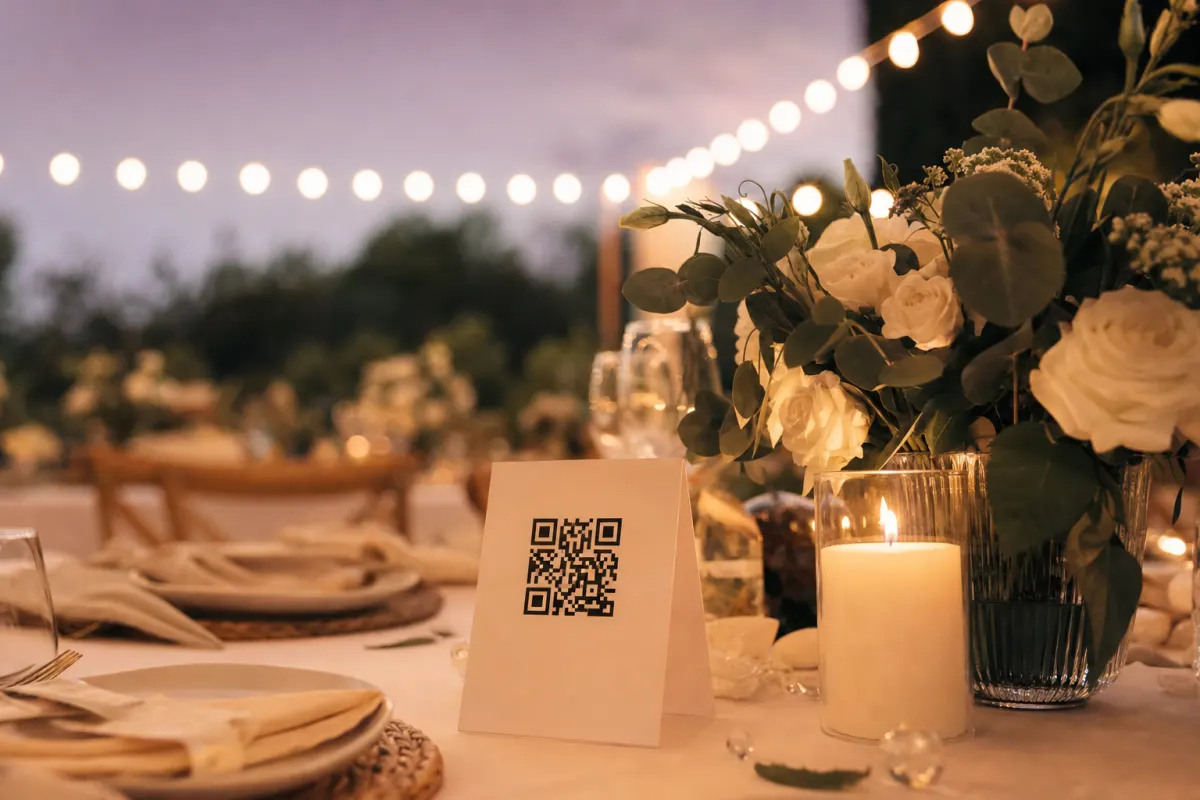
The pattern: a printed QR code on every dinner table, guests scan with their phone camera, the gallery URL opens in their browser, they tap to upload. No app to install. The photos arrive in the host's gallery in full resolution.
Setup time: 5–10 minutes online + 30 minutes designing and printing cards. Cost: Typically 400–700 NOK / 40–70 EUR per event, one-time. Some platforms run subscription models in the same price range. Typical collection rate: 60–85% of guests upload at least one photo. Photo quality: Full original resolution (no compression). Works for: Weddings, corporate events, birthdays, conferences — almost any event with 30+ guests on smartphones.
Where it breaks: events where the average guest is over 80 and unfamiliar with QR codes (very rare in 2026 but still a factor at certain settings); ultra-confidential gatherings where you don't want digital copies of photos to exist at all.
Category 2: Hashtag aggregators
The pattern: pick an event hashtag (#SmithWedding2026), ask guests to post photos to Instagram or Twitter with the tag, an aggregator service pulls those posts into a feed or wall display.
Setup time: 15–30 minutes (hashtag check, aggregator configuration). Cost: Free tools exist; branded "social wall" displays at the venue cost €100–300. Typical collection rate: 20–35% of guests actually post. Photo quality: Compressed by Instagram/Twitter — usable for screen, not for prints. Works for: Public events that want social media exposure (concerts, festivals, brand launches).
Where it breaks: weddings (most of the candid moments never make it to Instagram); guests who don't use social media (which is more than half the people over 50); private events where you don't want photos on public platforms; print quality (the originals are gone after social compression).
Category 3: Shared cloud albums (iCloud, Google Photos)
The pattern: create a shared album, send the invite link, guests open the link and upload photos from their phone.
Setup time: 10–20 minutes (album creation + sending invites to the guest list). Cost: Free with existing accounts; storage limits apply. Typical collection rate: 30–50% of guests upload. Photo quality: Original resolution preserved. Works for: Small groups (under 30 people) where everyone uses the same platform.
Where it breaks: cross-platform friction — Android users struggle with iCloud links, iPhone users with Google Photos; older guests find sign-in flows confusing; storage caps fill up; no organization features for large guest counts.
A real comparison from a 75-person wedding that tried both: shared iCloud album collected 142 photos from 28 guests over the next 3 weeks. Same wedding using a QR gallery would have collected an estimated 800–1,200 photos during the event itself.
Category 4: Dedicated photo booths
The pattern: a physical photo booth or tablet station at the venue. Guests walk up, pose, get prints and digital copies.
Setup time: 1–2 hours including delivery and setup. Cost: €500–€2,500 per event for rental, depending on features and props. Typical collection rate: 15–25% of guests use the booth. Photo quality: Excellent — controlled lighting, consistent framing. Works for: Adding entertainment value, capturing posed group shots in a single location.
Where it breaks: photo booths only capture what happens at one location, missing the entire rest of the venue; lines form during peak hours; bottleneck means many guests skip; doesn't capture candid moments at the table or dance floor.
This is the only category that's complementary, not substitutive. A photo booth + QR-code gallery combination covers both the curated posed shots and the candid moments at the same event. They solve different problems.
Category 5: Group messaging threads (WhatsApp, iMessage, Signal)
The pattern: a guest list group chat where people drop photos as they happen.
Setup time: 5 minutes. Cost: Free. Typical collection rate: 60–80% participation in the chat itself, but most photos sent in real time, not after. Photo quality: Compressed by the messaging app — usable but not print-quality. Works for: Small events under 30 people, very close-knit guest groups.
Where it breaks: scale (a 50-person group chat is unusable); cross-platform (iMessage doesn't work for Android guests, WhatsApp doesn't work for some iPhone users in certain countries); compression destroys image quality; the chat itself becomes a notification firehose; impossible to download "all photos" afterwards as one set.
Head-to-head comparison
| Aspect | QR gallery | Hashtag aggregator | Shared album | Photo booth | Group chat | |---|---|---|---|---|---| | Setup time | 30 min | 30 min | 20 min | 1–2 hr | 5 min | | Cost per event | 400–700 NOK | Free–€300 | Free | €500–2,500 | Free | | Typical participation | 60–85% | 20–35% | 30–50% | 15–25% | 60–80% (chat) | | Photo quality | Full resolution | Compressed | Original | Excellent | Compressed | | Captures candid moments | Yes | Some | Yes | No | Yes | | Works for guests over 60 | Yes | No | Limited | Yes | Yes | | Single download afterward | Yes | Manual | Yes | Yes | No | | Privacy (not on public social) | Yes | No | Yes | Yes | Yes | | Scales beyond 50 guests | Yes | Yes | Limited | Yes | No |
Which one to actually pick
For weddings (40+ guests): QR-code gallery is the highest-return setup. Add a photo booth if you have the budget and want a designated entertainment spot. Skip hashtags entirely unless you specifically want public social media engagement.
For corporate events (50+ attendees): QR-code gallery for candid coverage, plus a hired photographer for the planned shots (keynote, awards, executive portraits). Hashtag aggregation only if it's a public-facing event meant for social engagement.
For small private events (under 30): A group chat works fine. Setup overhead of a QR gallery isn't worth it at that scale.
For public events / festivals / launches: Hashtag aggregation makes sense — that's literally what it was designed for. Pair with a QR gallery for the photographers and crew who want to share full-resolution working shots.
For conferences and trade shows: QR-code gallery in the conference deck and on table tents at the welcome reception.
What the data shows about combining methods
The events with the most usable photos at the end use exactly two methods: a QR-code gallery for crowd-sourced volume and either a hired photographer or a photo booth for curated quality. That combination consistently produces 1,000+ usable photos at events of 80+ guests, vs. 300–500 from any single method.
Adding a third method usually doesn't help — guests notice the over-instrumentation and participation drops.
When you don't need any of these
- Sub-15-person events — just ask people to send the photos. WhatsApp works at that scale.
- Events you don't want photographed at all — board offsites, certain medical conferences, anything under NDA. Tell guests to keep phones away. None of these tools fits.
- You only care about one specific photo (the keynote shot, the awards moment) — hire a photographer with a brief. Don't crowd-source.
For everything else, one of the five categories above is the right fit. The decision is mostly about scale, privacy, and budget — the technology questions matter less than they appear.
Setting up the QR-code option specifically
If the QR-gallery category is the right fit, the setup is short:
- Create the gallery online (5 minutes)
- Generate the QR code
- Print table cards using one of the free Canva templates (30 minutes)
- Place cards on every dinner table the day of the event
- Mention it once in the welcome speech
- Download the full ZIP after the event
That's the entire workflow. Total time investment: about an hour spread across the week before. Cost: 488 NOK on Evenero, no subscription.
For the deeper how-to on QR codes specifically, the wedding photo QR code guide walks through the same setup with wedding-specific advice on placement and timing.
Frequently asked questions
What's the best event photo app for weddings in 2026?+
For weddings of 40+ guests, a QR-code gallery has the highest collection rate (60–85% of guests upload) and the lowest friction (no app installation). Pair it with a hired photographer or photo booth for curated shots. Skip hashtag aggregators unless you specifically want public social media engagement.
How is a QR-code gallery different from a shared cloud album?+
Both work but the friction is different. A shared cloud album requires guests to sign in to a specific platform (iCloud or Google Photos) — typically 30–50% of guests do this. A QR-code gallery requires no account at all, just camera scan + upload — typically 60–85% of guests do this. The participation gap is the difference.
Do photo booths still make sense if we use a QR-code gallery?+
Yes if you can afford both. They solve different problems — the booth covers posed photos at one location, the QR gallery covers candid photos throughout the venue. They're complements, not substitutes. The events with the most usable photos at the end use both together.
What about event hashtags on Instagram?+
Useful only if you specifically want public social engagement (festival, brand launch, public event). For private events like weddings or corporate galas, hashtags collect 20–35% of guests vs 60–85% for QR galleries, and the photos are compressed and public. Wrong tool for most use cases.
Are these apps GDPR-compliant?+
Reputable platforms in the EU/EEA generally are — they store photos in EU data centers, give you a data processing agreement, and let you delete on request. Verify the platform you choose has a clear DPA and EU storage. Group chats and shared cloud albums shift the GDPR responsibility to the platform itself (WhatsApp, Apple, Google) but compliance is generally well-covered.
How much does a typical wedding photo collection app cost?+
QR-code platforms range from about 400–700 NOK (€40–70) per event for one-time pricing, or similar monthly amounts for subscription models. Photo booths run €500–€2,500 per event including delivery. Hashtag aggregators offer free tiers and €100–300 paid tiers for branded social walls. Group chats and shared cloud albums are free.
What happens to the photos after the event ends?+
Depends on the platform. Most QR-code platforms retain uploads for 12–24 months — Evenero specifically holds for 24 months from the event date. Best practice is to download the complete ZIP within a week of the event and keep your own backup. The platform is the collection layer; your storage is the long-term archive.